One result is a snapshot
A single blood test shows where a marker sat on one morning. Sleep, hydration, a hard training session, a late meal or a cold can all nudge a number up or down. That's why many people find a result "just outside range" confusing: on its own, it doesn't say much.
A trend is the real story
What's usually more useful is the direction over time. Three things to look at:
- Direction: is the marker drifting up, down or holding steady across tests?
- Speed: a slow change over a year reads differently from a jump between two tests.
- Context: what changed around that time? A new routine, training block, supplement or sleep pattern is worth noting next to the result.
Comparing like with like helps too. Same lab where you can, similar time of day, and similar conditions (fasted or not) make results easier to compare.
Reference ranges vary
The range printed next to your result comes from that lab and that method. Two labs can use slightly different ranges for the same marker, so a number can look "high" on one report and "normal" on another.
What a result means for you is a conversation for your GP or specialist. Tracking simply makes that conversation clearer.
Make each new test easier to compare
A few habits make your next results more useful:
- Keep every report. Older results are what turn one number into a trend.
- Note the conditions. Fasted or not, time of day, and anything unusual that week.
- Write down changes. If you started a new routine, training block or supplement, record the date so you can line it up later.
- Watch units. Some labs report the same marker in different units, which can make a result look like it jumped when it didn't.
None of this takes long, and it makes the next conversation with your doctor much clearer.
Where the app comes in
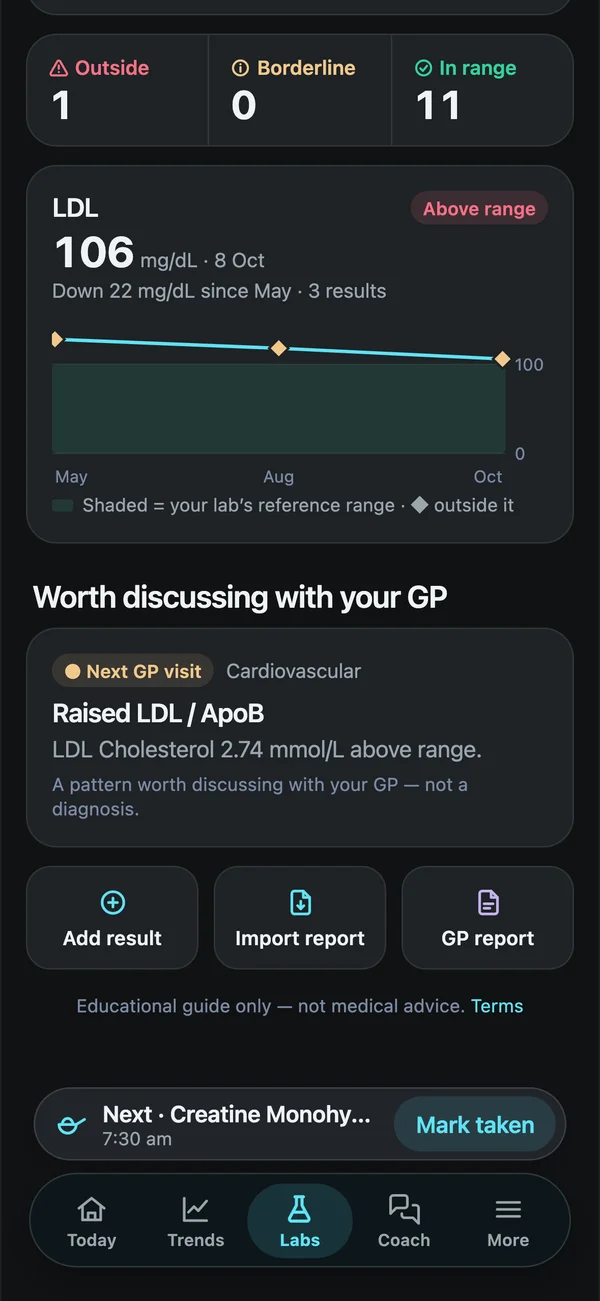
Paper reports and PDFs scattered across emails make trends hard to see. In Biohack Tracker you import a lab PDF or photo and every marker lands on its own chart, test after test. You can see:
- each marker's trend across all your tests;
- what's changed since your last panel;
- a one-page summary to bring to your next appointment.
The coach can also walk you through your own results in plain English.
